Auto parts distribution: Optimizely Configured Commerce or CWS Platform?
Searching by the customer's part number, a mandatory search replacement, and the large replenishment cart, through the lens of whoever owns revenue.

Editorial note: an architecture comparison between Optimizely Configured Commerce and CWS Platform in the auto parts distribution scenario, written for those who decide as VP of Sales. Every fact about Optimizely Configured Commerce comes from its public documentation, with the address next to it.
In auto parts distribution, a replenishment order does not start with a product name. It starts with a part number. The repair shop, the fleet operator, and the parts store buy by the number they use in their own systems, which is often neither the distributor's number nor the manufacturer's. And the order is rarely small: a store's or a fleet's weekly replenishment brings together dozens or hundreds of lines, with different quantities per item.
For whoever owns revenue, that turns into two practical questions. Can the customer find the part by typing the number they know? And does the large replenishment order fit in the portal, or does it go back to the phone and the sales rep's spreadsheet? When the answer to either is no, the digital channel loses exactly the most frequent buyer.
This comparison looks at Optimizely Configured Commerce and CWS Platform from that scenario only: searching by the customer's part number, search migration, and large replenishment carts. The commercial rules topic for the same vendor is in our comparison on changing pricing rules in Optimizely Configured Commerce and CWS Platform, and the platform models are in the three B2B commerce platform models.
What Optimizely Configured Commerce does well
Optimizely Configured Commerce has concrete tools for the buyer who already knows what they want. In Quick Order, the buyer searches for the product, enters the quantity, and picks the unit of measure; for products with variants, the system requires choosing the variant before adding the line. Quick Order search accepts any item with an activation date configured, even without a linked category or when it is a variant, and the list can go to the cart in one step or be saved as a list.
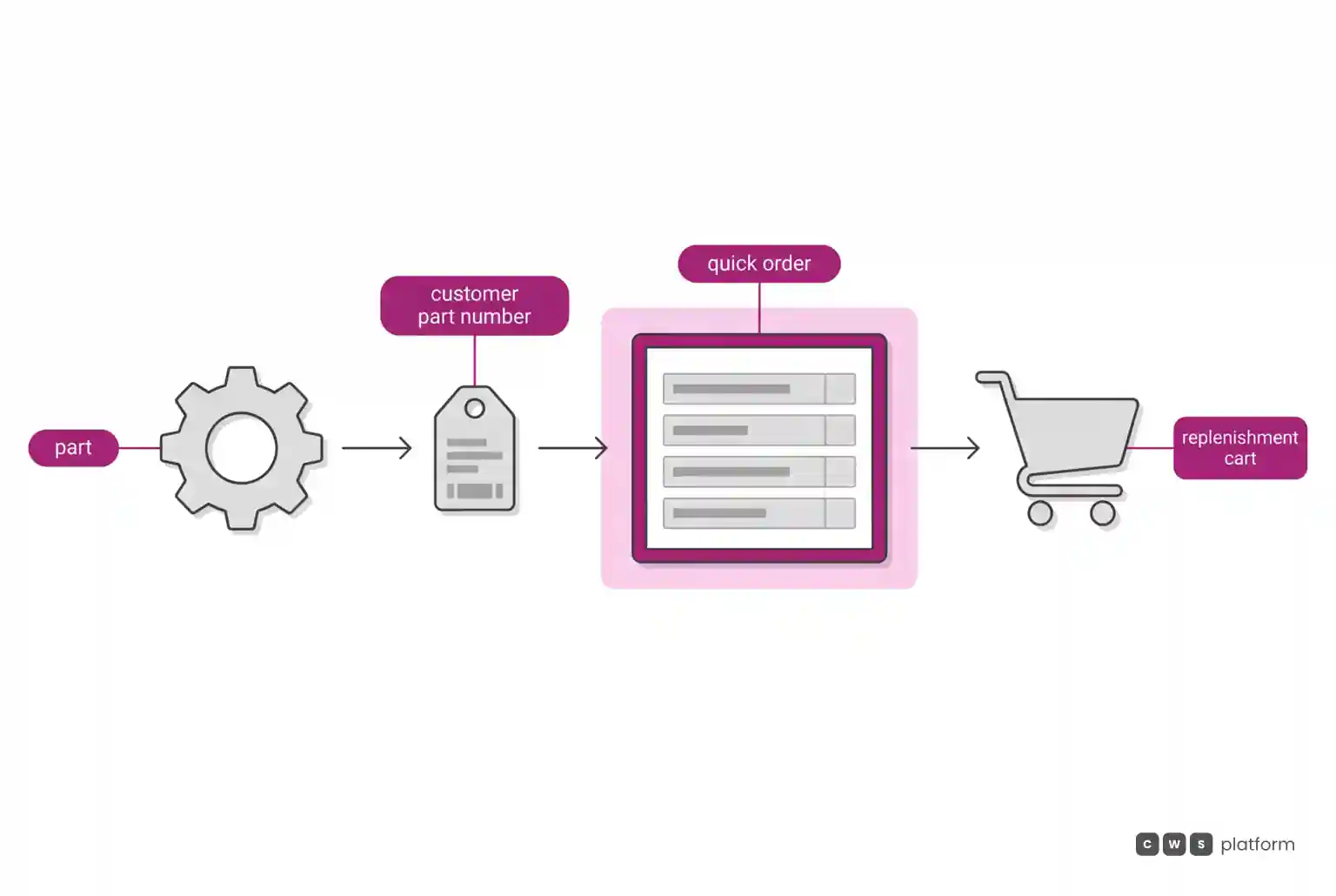
For large orders, Order Upload accepts a file with product number, quantity, and unit of measure, returns a success or failure message, and puts the valid products straight into the cart. For customers with a contracted mix, the contract item list is created as a product set on the customer record itself, and shared lists can be assigned to many customers by dynamic rule.
Commerce Search v3 uses Google Retail Search for relevance-based searches and keeps Elasticsearch for the rest. For a parts distributor with a large catalog and buyers who repeat orders, that set covers structured reordering.
Where the architecture diverges
The divergence that matters to whoever sells replenishment sits in search: what it accepts and how much it changes. The vendor's own documentation records two points:
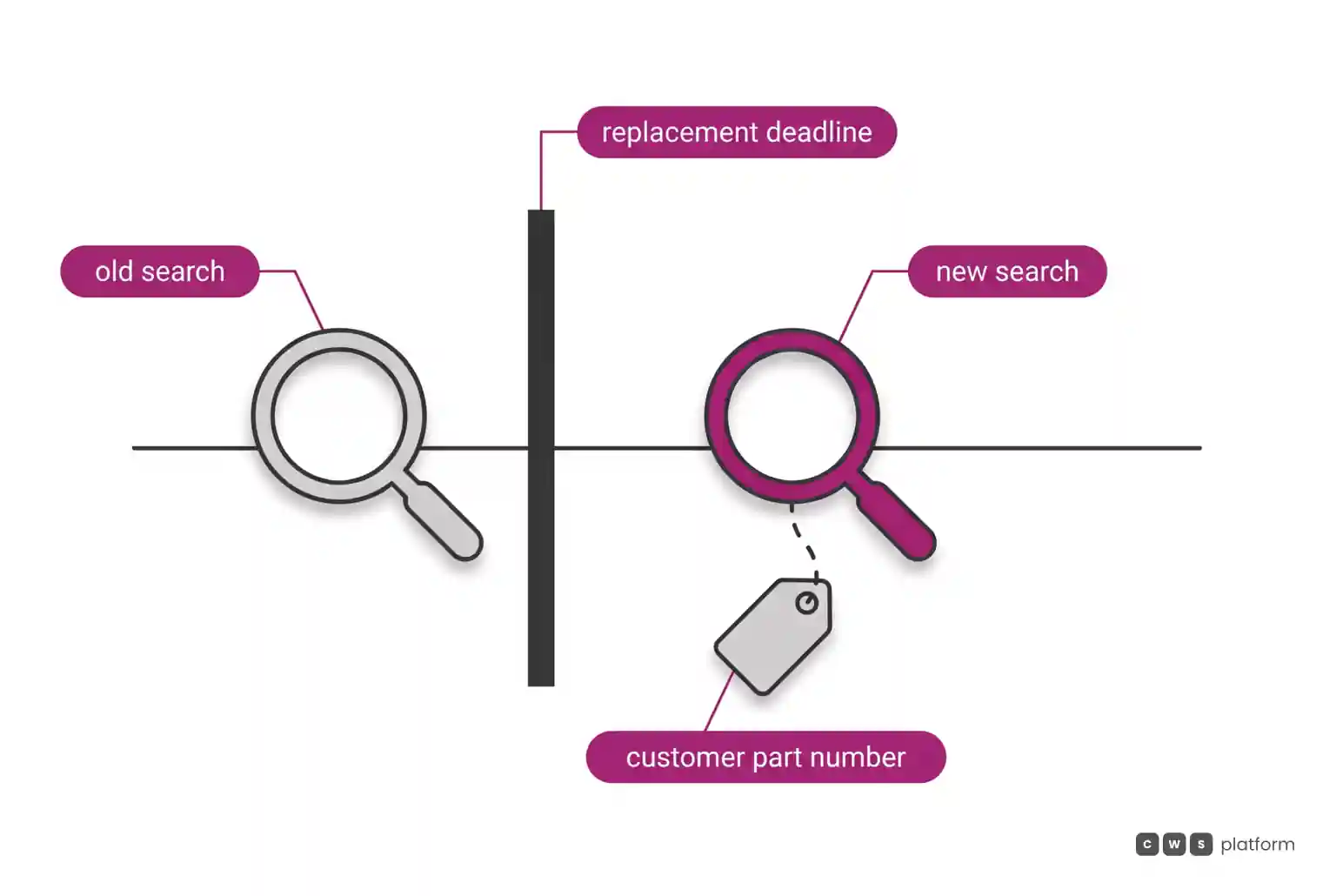
- limitation recorded in the vendor's documentation, accessed on October 16, 2026: Vertex AI search does not support searching by customer-specific part numbers assigned at the customer level (Quick Order still does) ("Customer-specific part number search – Google Vertex AI does not currently support searches with customer-specific part numbers assigned at the customer level.", https://docs.optimizely.com/configured-commerce/docs/limitations-of-commerce-search-v3).
- limitation recorded in the vendor's documentation, accessed on October 16, 2026: all cloud clients on Search v1 had to implement a new search solution by June 30, 2026 ("All Configured Commerce Cloud clients using Commerce Search v1 must implement a new search solution by June 30, 2026.", https://docs.optimizely.com/configured-commerce/release-notes/notice-end-of-life-announcement-for-commerce-search-v1).
In auto parts, the first point touches the buyer's most common behavior. The customer's own part number still works in Quick Order, but general relevance-based catalog search does not recognize it. In practice, a buyer who types their own number into the search bar needs to know the right path is a different one, and the sales rep needs to teach that to every account.
The second point is about maintenance. A mandatory search replacement is a project with a deadline, and the Commerce Search v3 documentation lists requirements such as a minimum version, event integration, and support only for Spire CMS hosted in North America. In a parts catalog, where search is the main path to the sale, a search migration is a revenue migration, and it belongs in the year's commercial plan.
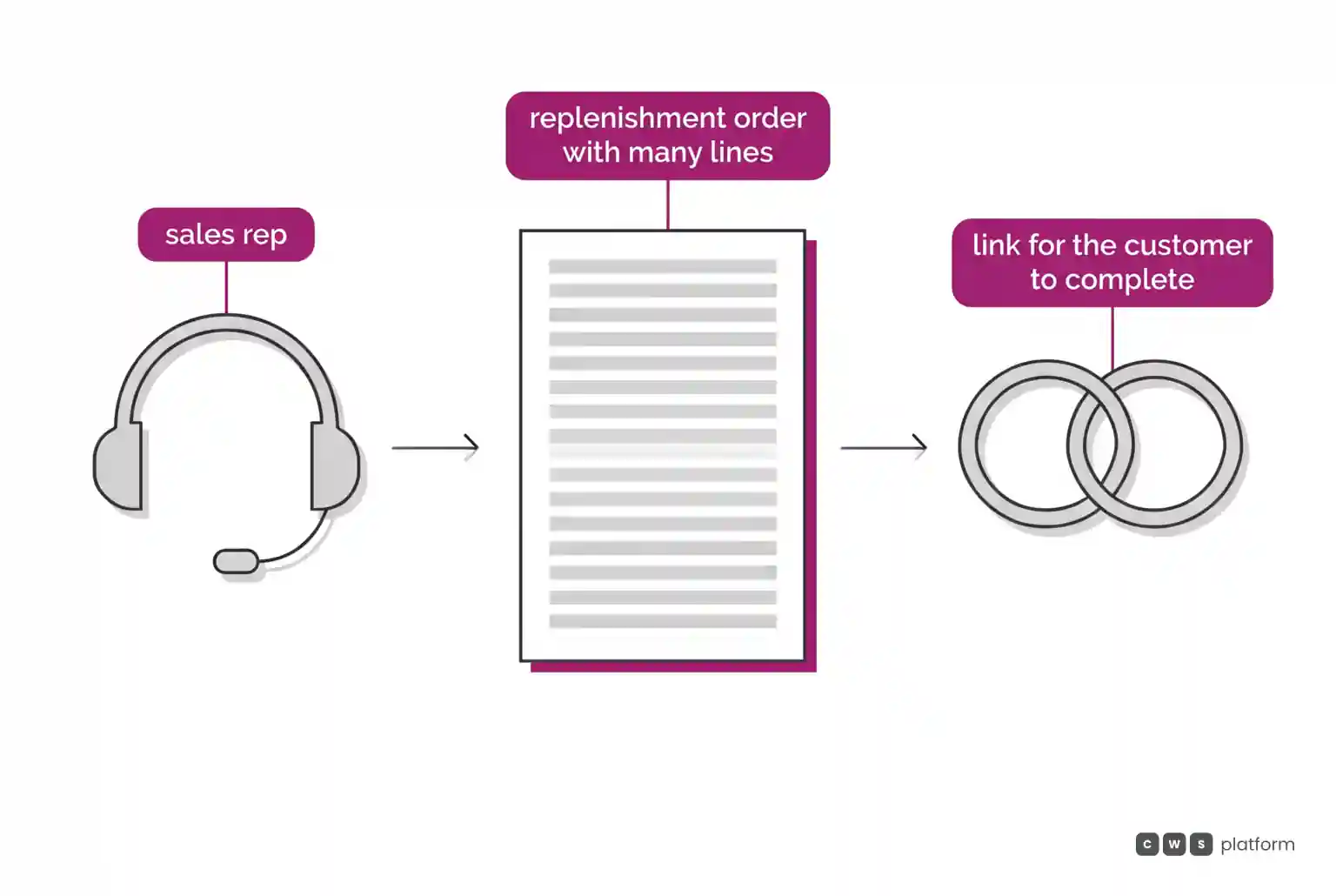
On CWS Platform, the cart holds 250 line items by default, configurable, and the sales rep can build a cart with the items and the source of each one and send the link for the customer to complete the purchase. One sales rep serves thousands of customers, and customer and sales rep use the same interface.
| decision | Optimizely Configured Commerce, per the documented mechanism | CWS Platform |
|---|---|---|
| How the customer's part number is found | Through Quick Order; Vertex AI search does not support numbers assigned at the customer level | A question to test during evaluation, with the real catalog and part numbers from your accounts |
| How search evolves | Mandatory replacement of Search v1 by June 30, 2026; v3 with its own requirements | Every customer runs the same version |
| How the large replenishment order arrives | Order Upload by file, contract item lists, and shared lists | A 250-line cart by default, configurable, and a link built by the sales rep for the customer to complete |
The commercial decision is to test search with the numbers your customers actually type, before any other demo.
What changes in auto parts replenishment
The difference shows up in how many replenishment orders finish in the portal without help. When general search does not recognize the customer's number, some orders start in the portal and finish on the phone. When the order is large and the path to it is a file, the sales rep becomes a spreadsheet operator for the account that has not mastered the template.
For the VP of Sales, this is a capacity calculation. Every order that comes back to a sales rep takes time away from new business and account recovery. And every search migration, unless it is planned with the sales team, changes the behavior of buyers who had already learned to order on their own.
Three questions help bring this point into any evaluation:
- What share of your customers buys by their own part number, and which path they use to look for parts today.
- What the typical size of a weekly replenishment order is, in lines, and who builds it.
- When portal search changes, who retrains the accounts and how much selling time that consumes.
On CWS Platform, the sales rep can build the replenishment cart, with the items and the source of each one, and send the link for the customer to complete, and the order records who built the cart and who chose the payment. Customer-specific price tables, rules, and contracts are configured on the platform or received from the ERP through an API, and thousands of promotions can run at the same time.
When to choose Optimizely Configured Commerce
Optimizely Configured Commerce fits scenarios with these characteristics:
Buyers who already use the quick order path. Choose this architecture when your accounts are used to ordering through Quick Order, where the customer's number is still accepted, and general search is used less for replenishment.
Replenishment by file and a contracted mix. Choose this architecture when customers already send orders as spreadsheets and the mix is well defined, with Order Upload and contract item lists.
A team ready to migrate search. Choose this architecture when the company has a team or partner to run the search replacement and meet the requirements of Commerce Search v3.
When CWS Platform is the right choice in this scenario
CWS Platform is the right choice when parts replenishment depends on large orders built jointly by customer and sales rep.
A cart sized for replenishment. Choose this architecture when the weekly order has many lines. The cart holds 250 line items by default, configurable.
The rep builds, the customer completes. Choose this architecture when the sales rep needs to prepare the account's order. The sales rep builds the cart with the items and the source of each one and sends the link for the customer to complete; one sales rep serves thousands of customers, in the same interface the customer uses.
Price and promotions per account, without a project. Choose this architecture when each repair shop, fleet, or store has its own terms. Tables, rules, and contracts are configured on the platform, on the principle of configuration over code, thousands of promotions can run at the same time, and the sales rep's discount goes through multi-level approvals.
Delivery the way replenishment needs it. Choose this architecture when replenishment ships from more than one distribution center. Net terms work with split shipments, scheduled deliveries, multiple ship-to addresses, and multiple ship-from locations.
Where to go from here
If your question is still which architecture fits your operation, the path is the seven questions that separate B2B commerce architectures, and the comparison between models is in the three B2B commerce platform models.
If the decision depends on how your accounts search for and replenish parts today, it is worth talking to a CWS Platform specialist to map part numbers, order size, and the sales rep's role before you choose. The page When the Catalog Becomes Chaos covers the pain behind this scenario in depth, without talking about any vendor.
"responsive, technically engaged, and willing to work through complex commercial rules (negotiated pricing, credit, customer-specific conditions) rather than pushing generic answers"
Want to see this in your operation?
Real B2B operations already run on it.