Deterministic module
Credit-First B2B Checkout (Checkout & Payments)
B2B buys on terms, not with a card on every order. When the digital checkout does not know how to handle credit, the order does not close. The Credit-First B2B Checkout treats credit as a native payment method, and validates the whole order before confirming it, under the rule the store has set.
What it is
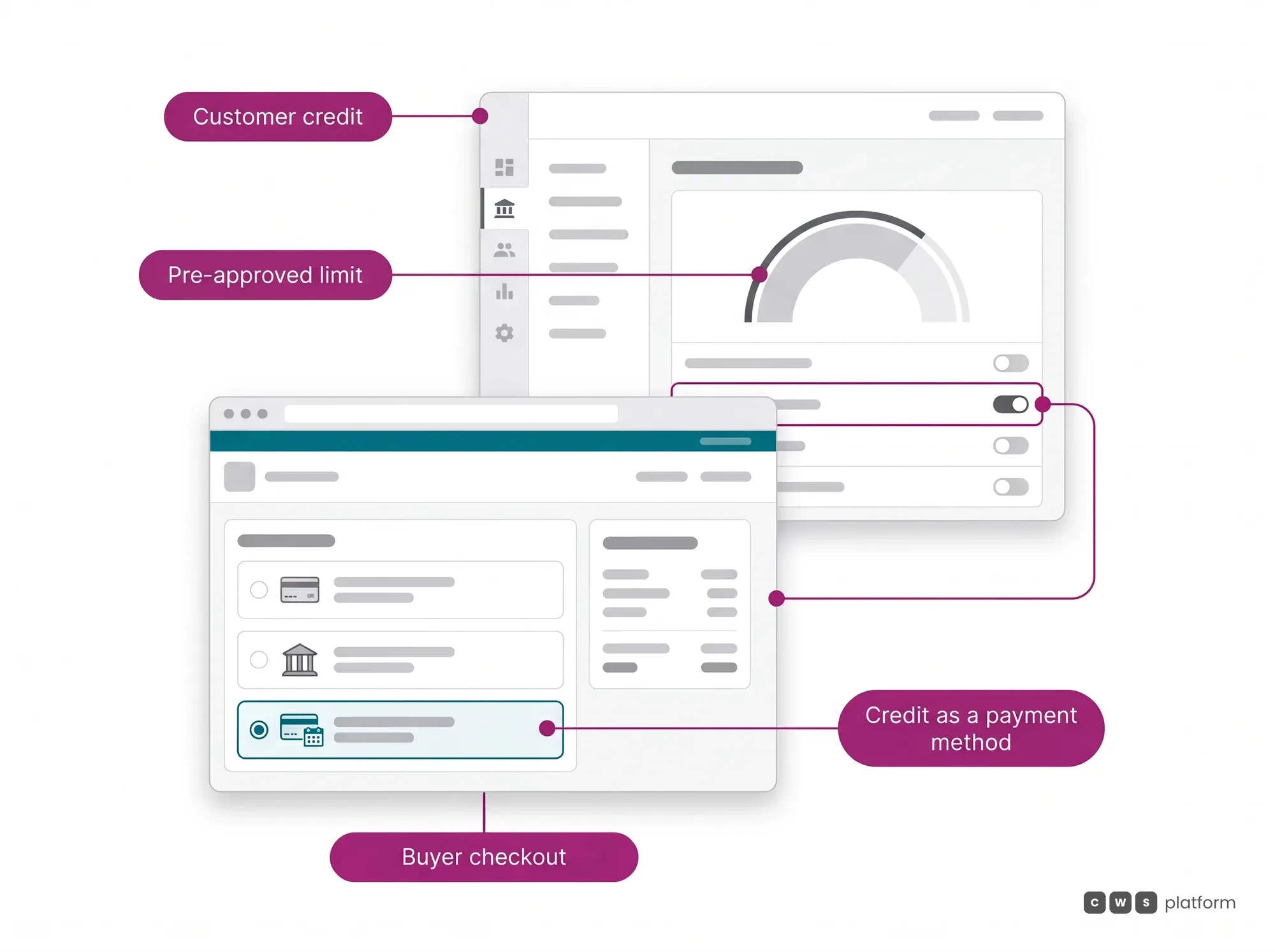
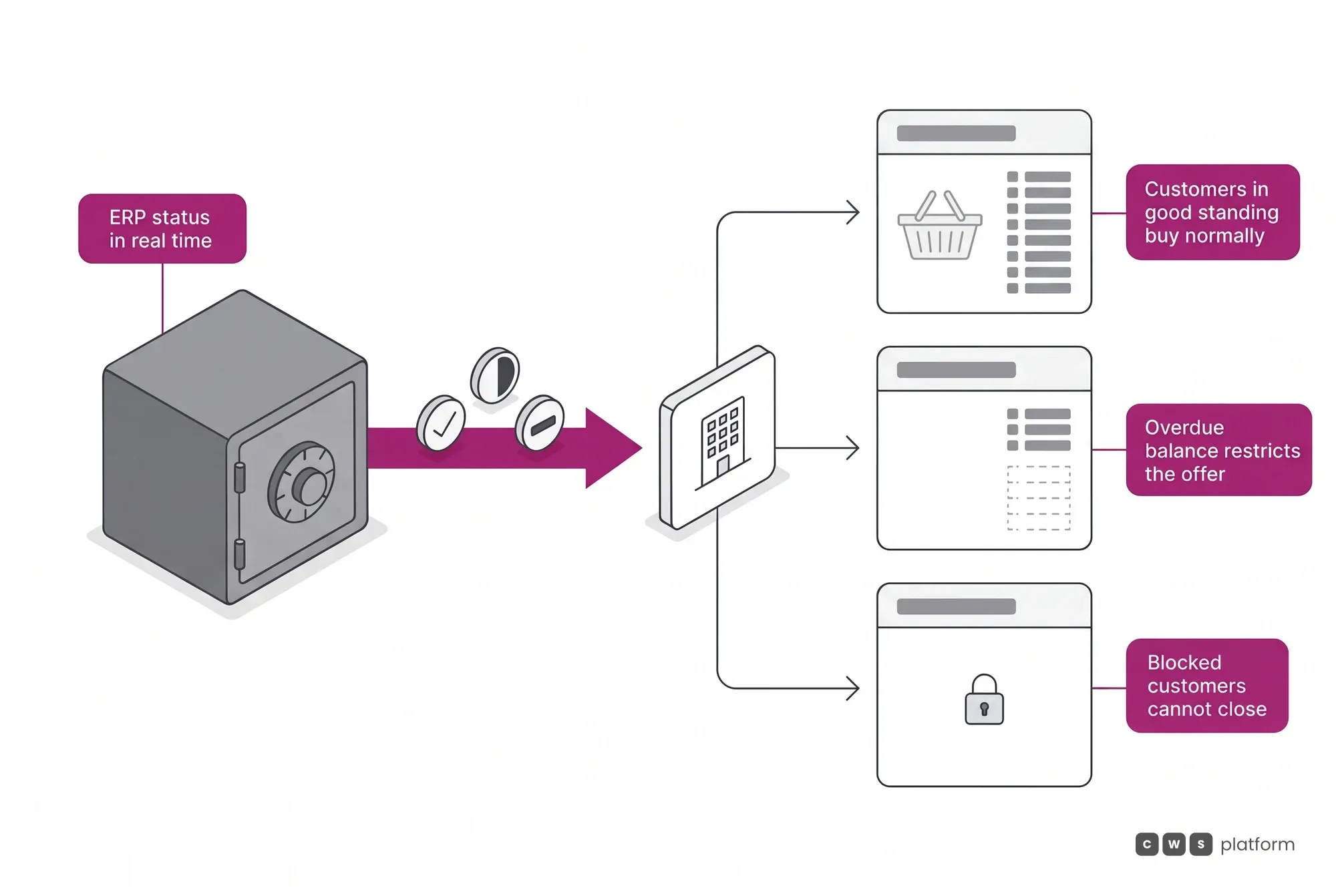
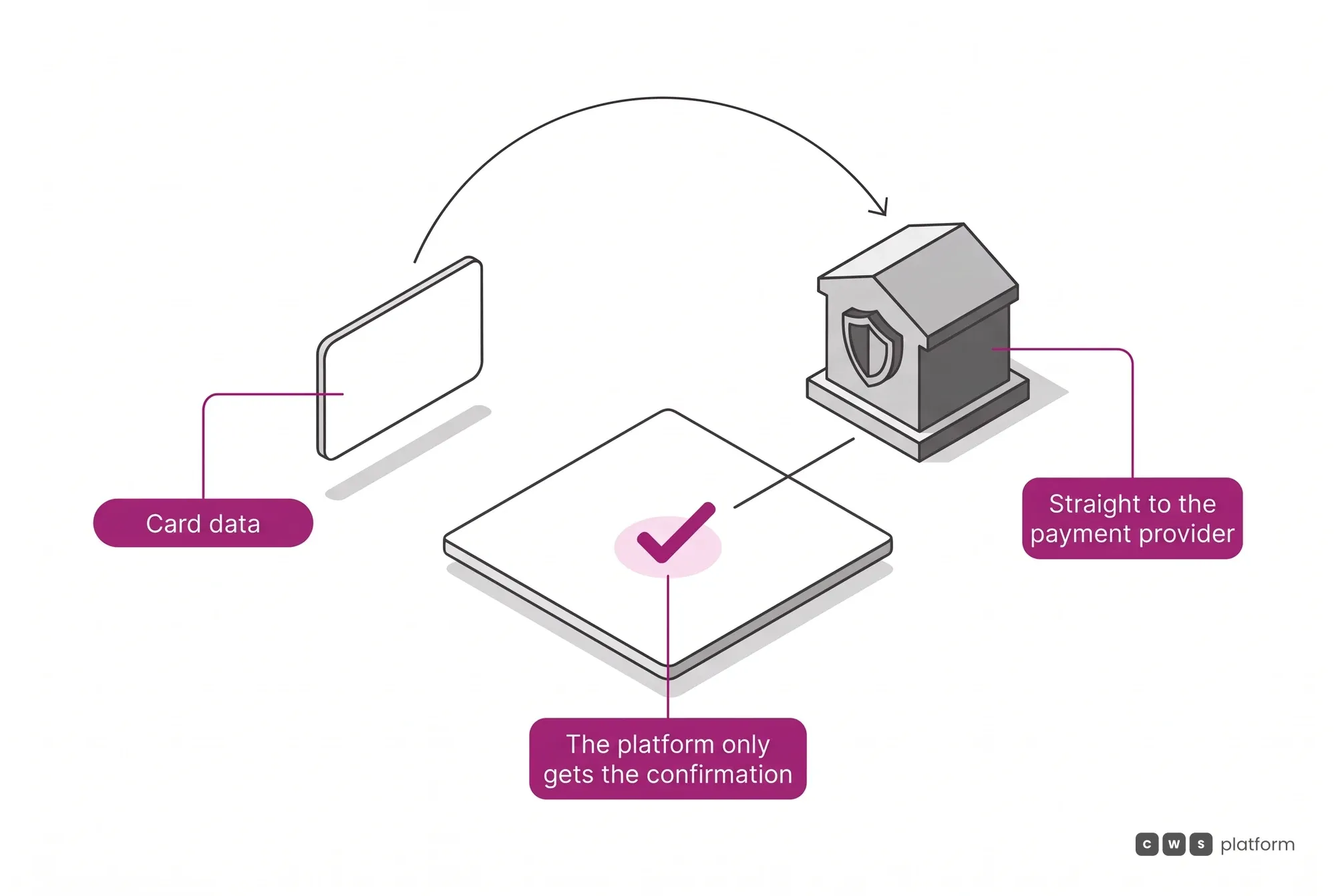
The close of the negotiation, where the negotiated agreement becomes a transaction. Credit as a native payment method, with Net Terms 30/60/90, multi-split across sellers, combination of payment methods and Barter in agribusiness. With several suppliers in one cart, the parent order controls the aggregated cart, and each supplier configures its own payments independently, within the general criteria set by the portal owner. Delinquent and blocked tags integrated with the ERP in real time. Card data never passes through the platform.
B2B checkout on terms in 1 minute
The capability no one replicates
Credit as negotiation, native
Credit comes in as a variable of the agreement, not as a separate app tacked on afterward. In the market, B2B credit is usually a standalone app; here it is the heart of the checkout.
4-Point Checkout Validation
Stock, credit, tax and price checked at the same time. Credit validation is configurable: the store decides by rule whether insufficient credit blocks the order, sends it for approval or completes it as paid, so risk is handled in the flow, not afterward.
It governs the payment dimension
The native payment methods6
Each has its own approval flow, and that difference is what separates a B2B checkout from an adapted retail one. They can be combined in a single order, and what is offered is filtered by the profile and financial status of whoever is buying.
- Credit limit
- Approved by credit validation rather than by a gateway. It is the dominant B2B payment method, and its absence is the most common reason a buyer goes back to the sales rep.
- Bank slip
- Approved after bank clearing. The order waits for the buyer's payment cycle without anyone having to track reconciliation by hand.
- Instant transfer
- Instant approval. It is usually the method that remains when a customer has an outstanding balance, which is why it is never the only door.
- Credit card
- Automatic gateway approval, with fraud screening in the gateway layer. Card data never passes through the platform.
- Barter
- In agribusiness, grain settles the order after physical and tax validation of delivery. The balance is managed per customer, like a current account in grain.
- In-store
- Manual confirmation by the counter operator. The order starts digital and closes in person, without becoming two orders in two systems.
The levels of split, which are different things3
The market uses one word for three mechanisms that behave differently. Conflating them is what makes a checkout look sufficient in a demo and fail in production.
- Cart split
- Items in one order ship from different sellers or warehouses and generate independent invoices, each with its own tax document and tracking. A delay in one does not block the others.
- Split delivery
- One order is delivered in parts, to different addresses or dates, with freight, tax and approval thresholds calculated per fraction.
- Combined payment methods
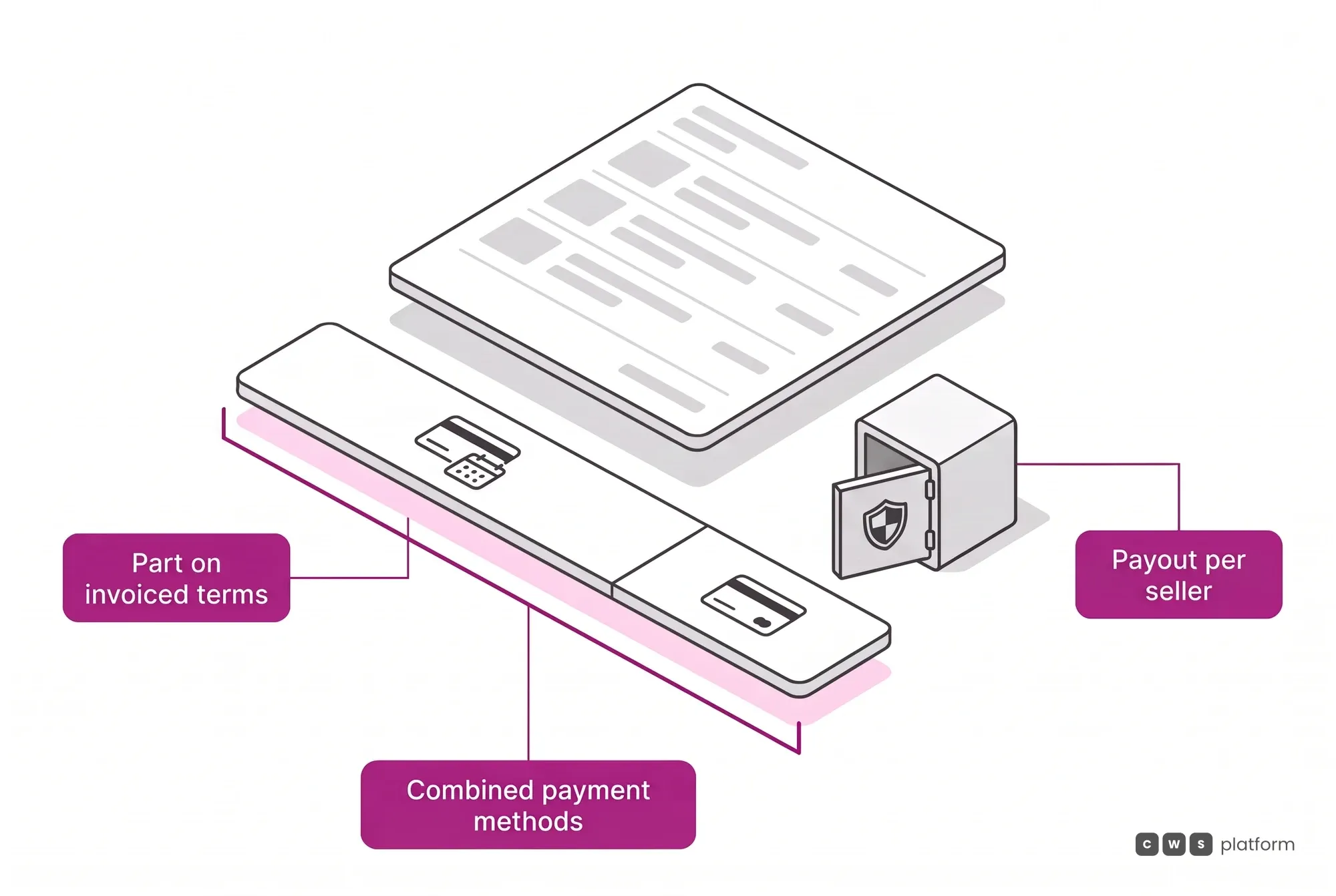
- One order paid with more than one method at once. Each method is processed on its own, and final approval only lands once all of them confirm.
When the sale does not end on screen3
- Pickup and counter
- The buyer builds the order digitally and completes it in the shop, with payment confirmation in the hands of the in-person operator.
- Quote that becomes an in-person sale
- The quote built during remote service is the same one that closes at the counter, with the pricing and governance that already applied.
- Saved carts
- They work as an instant quote, with correct pricing, verified stock and governance applied, and can be sent as a link for the buyer to complete on their own.
Credit and payment terms under rules8
What separates a checkout that accepts terms from a checkout that governs B2B customer credit.
- Credit limit as a current account
- The limit is the customer's current account, with balance and statement, granted in the admin panel or kept in sync by the ERP through integration. It can apply per store or across the whole headquarters: the customer uses it at any branch, and each store receives its own debit to reconcile.
- Insufficient credit, decided by rule
- An order with enough balance is approved automatically. Without it, the store chooses by rule whether the order is blocked, held pending approval or completed as paid.
- Layered payment terms
- Payment, type, term and due date are set up in layers, with value bands, interest or discount, average term and an ERP integration code. Each term accepts allowed and blocked customer groups, for example to stop delinquent accounts or give a group longer terms, and forbidden combinations with other terms.
- Credit combined with other methods
- The credit limit can be combined with card or bank slip, with the option of using up the whole limit first. When paying at the counter, the customer splits the amount across several methods and terms, each with its own interest or discount band.
- Payment date that recalculates the price
- The chosen payment date recalculates the price, with an early-payment discount or late-payment interest. Payment days can be blocked, such as month-end and holidays, and the calendar can be hidden, read-only or editable for customer and sales rep.
- Receivables calculator
- The sales rep enters the amounts and dates of checks or receivables, the platform calculates the average term and picks the payment term whose day range matches.
- ERP tax before closing
- Each item's tax can be calculated by the customer's ERP before the order closes, using the same integration as the final close, and the simulation comes out as a PDF to serve as a quote.
- Several suppliers, one cart
- The parent order controls the aggregated cart, and each supplier configures its own payments independently, within the general criteria set by the portal owner. The amount is split per store, following the contract between marketplace and store, with special commission by SKU or category.
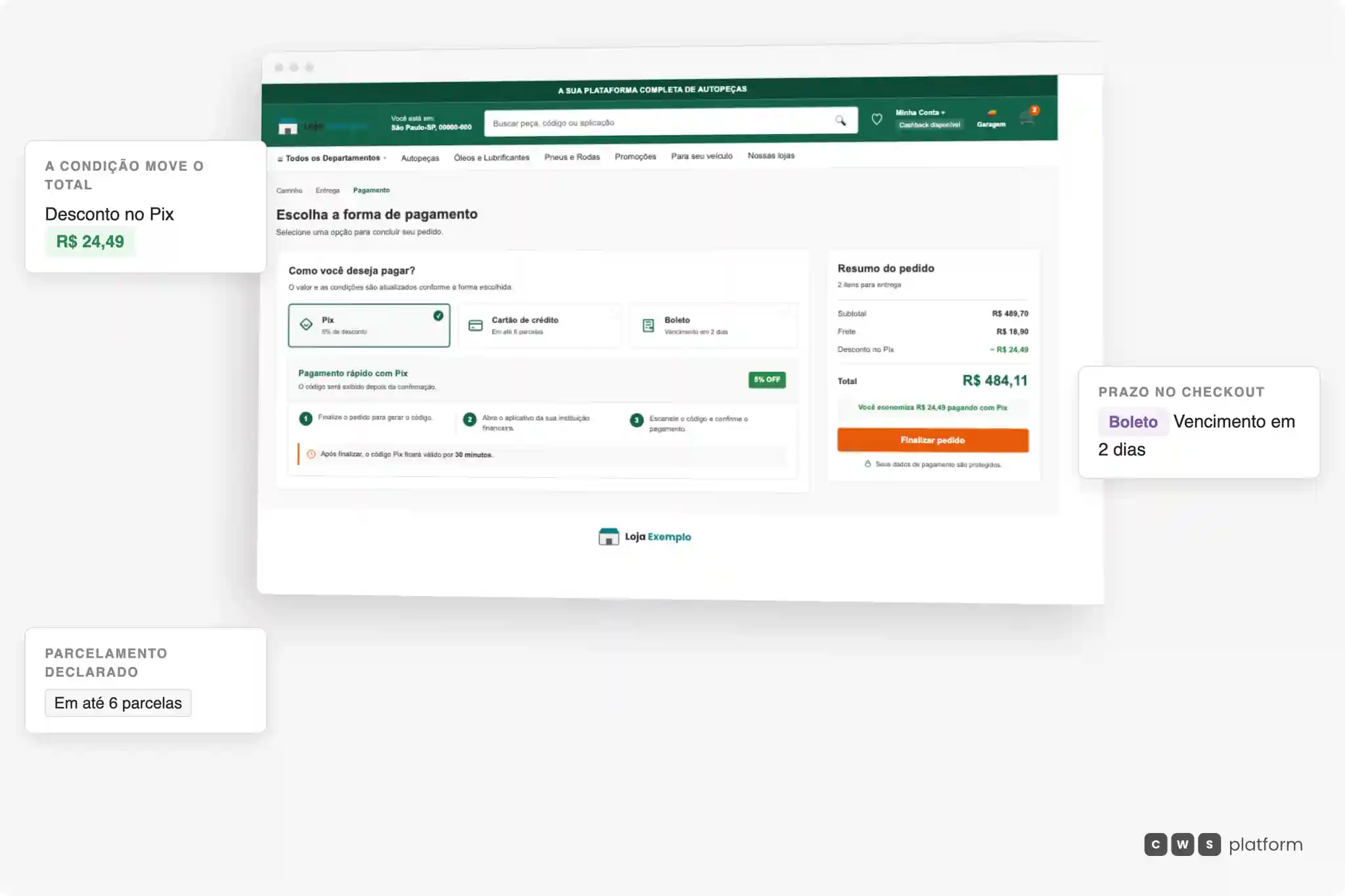
The payment method recalculates the whole order
The three payment methods with their conditions, and the summary beside them adding up subtotal, shipping and the discount the choice has just produced.
- The condition becomes a numberChoosing Pix applies the 5% and the summary shows the discount and total already corrected.
- Terms are a payment methodThe boleto arrives with its due date declared, in the same place the card declares its instalments.
- The summary keeps upSubtotal, shipping and discount stay visible next to the choice, with no extra step to check them.
Checkout is not a billing screen bolted to the end of the flow — picking the payment method rewrites the order value on the spot, with the discount and the term coming from the same rule. This is the module deciding, not recording.

Persona · Chief financial officer
I no longer check credit after the order: it closes already validated at checkout.
At checkout on CWS Platform, credit is a native payment method, and stock, credit, tax and price are checked together before the order is confirmed.

Persona · Buyer
I close the order on terms within my limit, without going back to the sales rep.
In Checkout & Payments, the credit limit is the customer's current account, with balance and statement, and can be combined with card or bank slip.
In operation
Imdepa · auto parts distribution
The buyer assembles an order of more than 250 SKUs in the B2B customer portal and the platform calculates taxes, freight and the pre-approved credit in seconds. Credit risk is validated within the flow, not checked in separate stages afterward.
Read the Imdepa case →APIs for this module
What this module does in the panel can also be done by your system. These are its groups in the public API reference.
Credit Limit
Endpoints to create and manage credit limit types and assign them to customers.
Webhooks and callbacks
- Tax calculation callback
Synchronous call: your ERP returns the taxes per item.
Frequently asked questions
Can you sell B2B on terms with the CWS Platform?
Yes. The Credit-First B2B Checkout (Checkout & Payments) has Net Terms 30/60/90 as a native payment method, with a credit limit validated in real time alongside stock, tax and price, in the 4-Point Checkout Validation. The credit limit works as the customer's current account, with balance and statement, and can apply per store or across the whole headquarters.
How does the order avoid advancing with the wrong credit or tax?
The 4-Point Checkout Validation checks stock, credit, tax and price at the same time before confirming. Credit validation is configurable: the store decides by rule whether an order without enough balance is blocked, sent for approval or completed as paid. Item-level tax can be calculated by the customer's ERP before the order closes. The delinquent and blocked tags come from the ERP in real time.
Does it work for agribusiness with Barter?
Yes. The Agro Commerce Suite treats grain as a payment method (Barter), with CIF and inverted FOB and fractional delivery by property.