Deterministic module
No-Code Storefront Builder (CMS Builder)
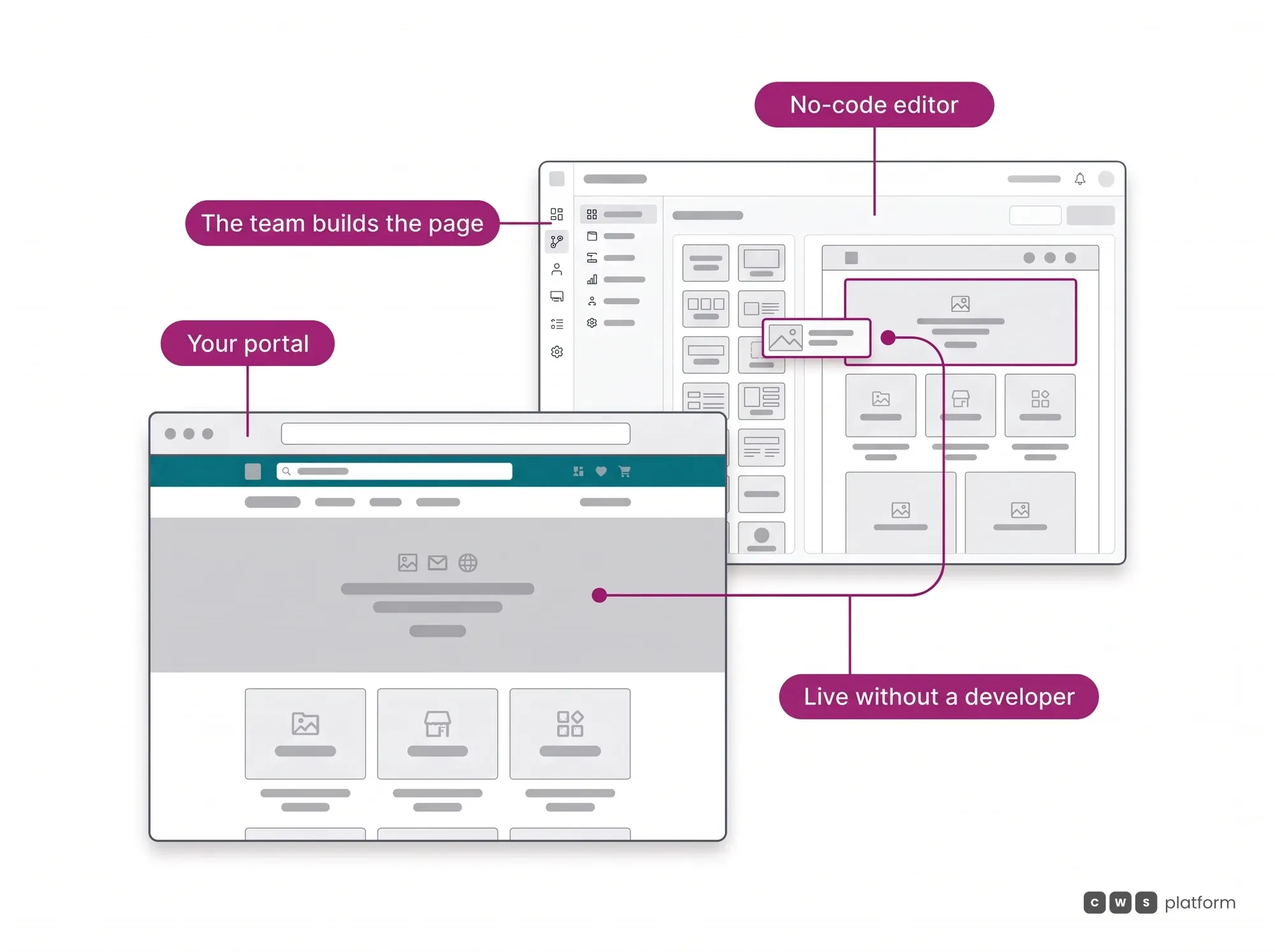
The campaign starts on Monday, and the landing page takes three weeks because it sits in a developer's queue or an agency's backlog. Meanwhile the company pays for a separate storefront tool that knows neither the customer's price nor the warehouse's stock, and the storefront promises what the operation cannot deliver.
What it is
The module that builds and maintains the portal without code. It is the presentation layer of CWS Platform: it defines what the store is called, how it looks, what institutional content it publishes and how the pages are organized. The portal is not a separate product integrated later — it comes included and is born on the same rules engine as the 11 modules. It is the platform's first layer of value, and it enables the ones above it: without your own digital presence there is no commercial integration, no behavioral data, and no service to sell on top.
The capability nobody replicates
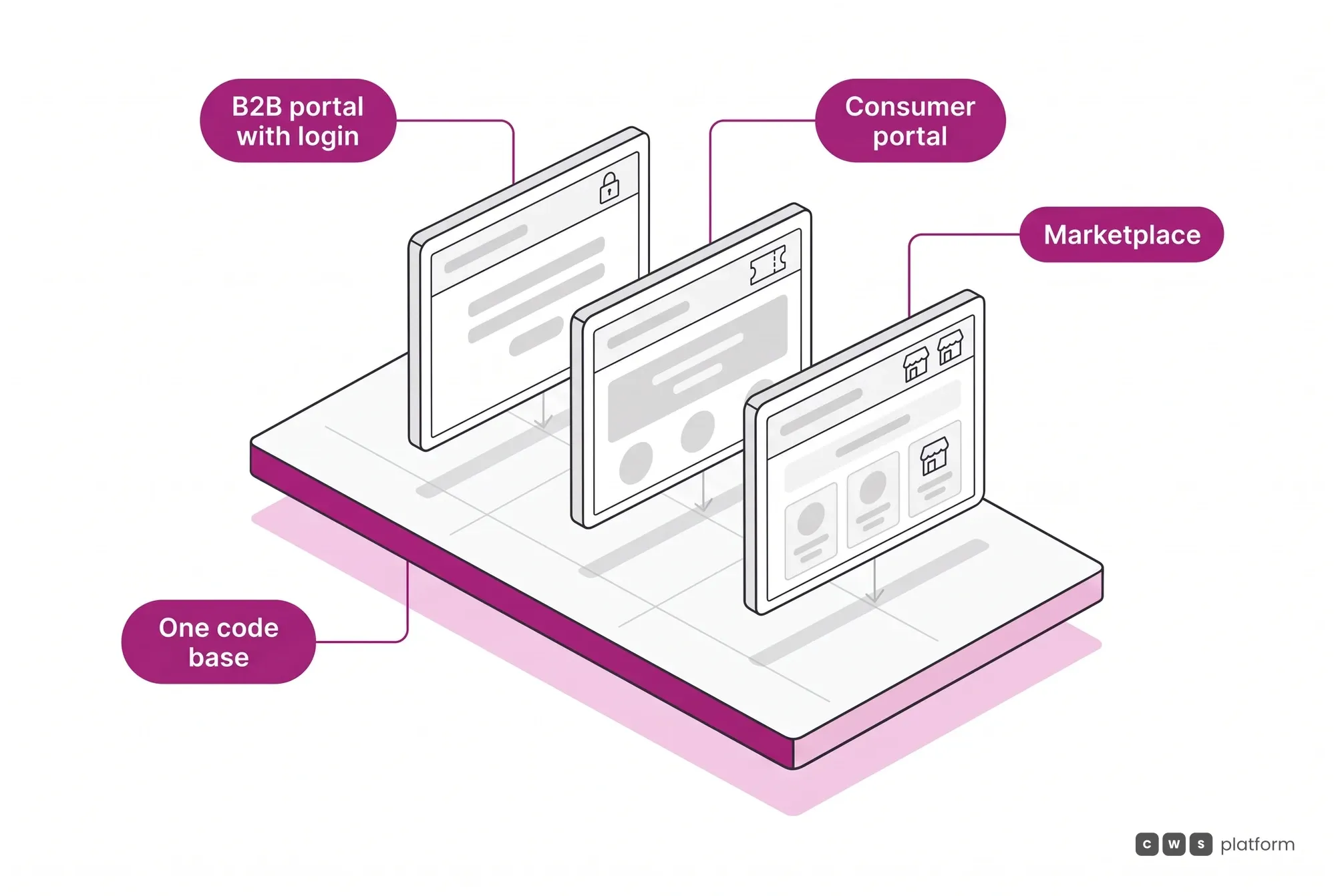
One codebase renders different portals
One foundation, a single template, three faces: a B2B portal with authenticated pricing and order approval, an open consumer portal with coupons and social login, and a marketplace carrying both first-party and third-party inventory. These are not three coexisting projects, it is the same configuration holding different values. A new business line arrives as parameters, not as a deployment from scratch.
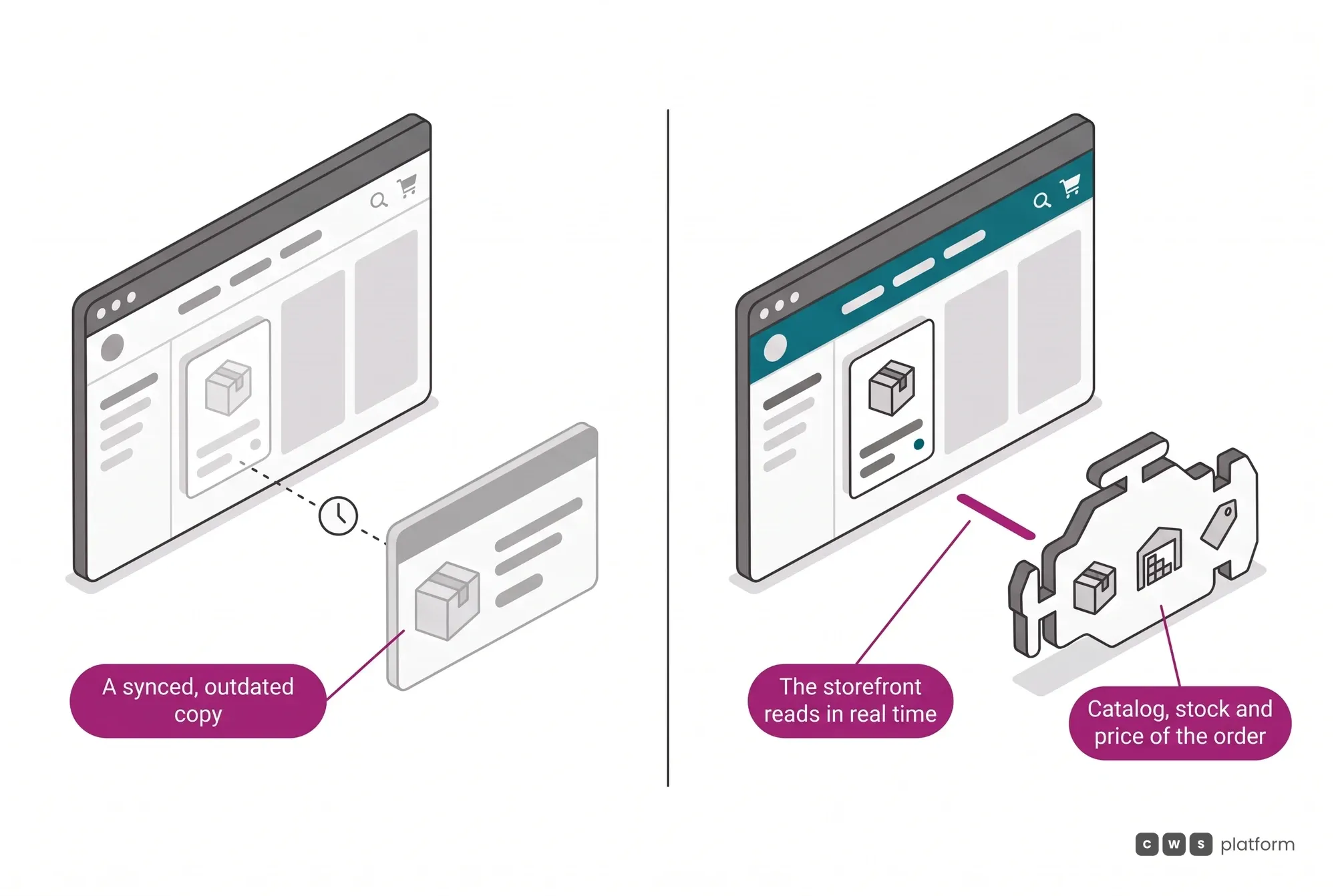
The storefront reads transactional truth, not a copy of it
A content manager bolted on through an API shows whatever it synced last. Here the page queries the same catalog, the same per-warehouse balance and the same pricing rule that decide the order, so the storefront cannot advertise what the operation will not deliver. The header can apply the price of the store nearest the delivery address without changing where the stock ships from. Whoever edits the page changes presentation, and policy stays with the rules engine.
What your team changes without a developer
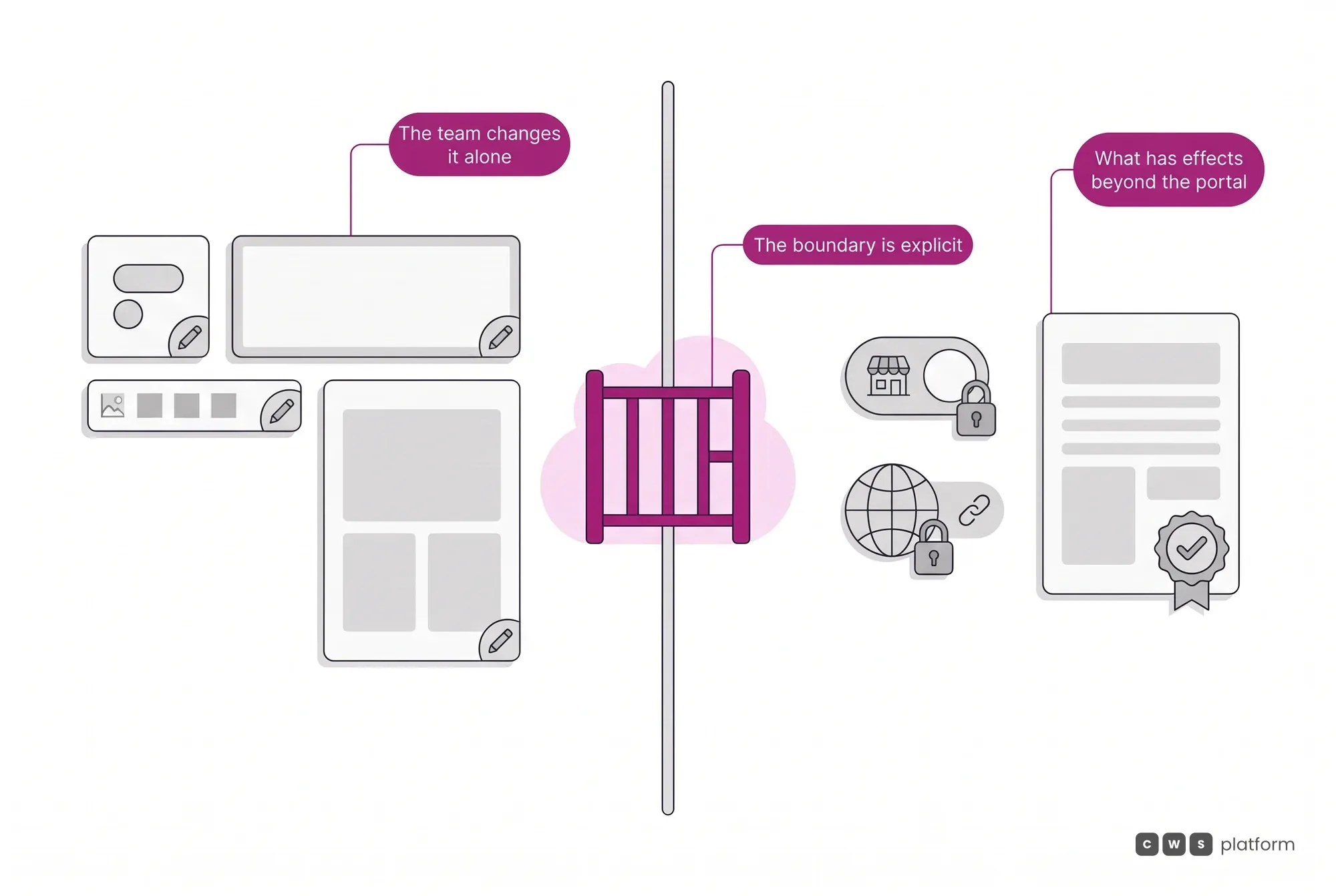
Configuration over code stops being a slogan once you list what sits on this side of the line. What follows is the portal's editable surface, and none of it requires a new software release. These are parameters, and the platform has 1,029 configurable parameters in total.
- Identity Logo, favicon, theme color palette, table and button colors, header subtitles, and a top bar carrying your own text or free HTML, optionally shown in the app as well. A field left blank falls back to the default, so the store is never left unconfigured.
- Structure Header and its small-screen version, footer, menu, home page carousels, image library and assets attached to categories. The home page combines carousels of featured categories, limited-time offers, featured products, buy again, brands, sponsored products and recently viewed, with renamable titles. Each category has its own menu image, icon, desktop and mobile banners and its own copy on the page. A dynamic menu can take users to another company system already carrying the logged-in rep's or the served customer's data, and can be shown only to customers, reps or buyers.
- Content Institutional pages, about us, support, frequently asked questions, terms of use with optional mandatory acceptance, privacy policy, cookie policy, returns policy, social channels and landing pages published from your own HTML package, without touching the theme and inheriting the store's header and footer. Layered SEO: default meta tags per page type with product variables, individual SEO per category, with supporting copy below the listing, and per SKU, and control over indexing of filtered searches. The platform publishes structured data on product, category and home pages and generates a sitemap grouped by category covering every store URL.
- Domain Store creation, your own subdomain, company records, administrative permissions by user group, partner stores and regional restrictions.
What stays outside is whatever produces effects beyond the portal, such as enabling a multi-store operation, changing the subdomain of a store already live or redirecting old URLs in a platform migration, which the CWS Platform team runs. Those follow a procedure, because they have consequences for whoever is already on the other side.
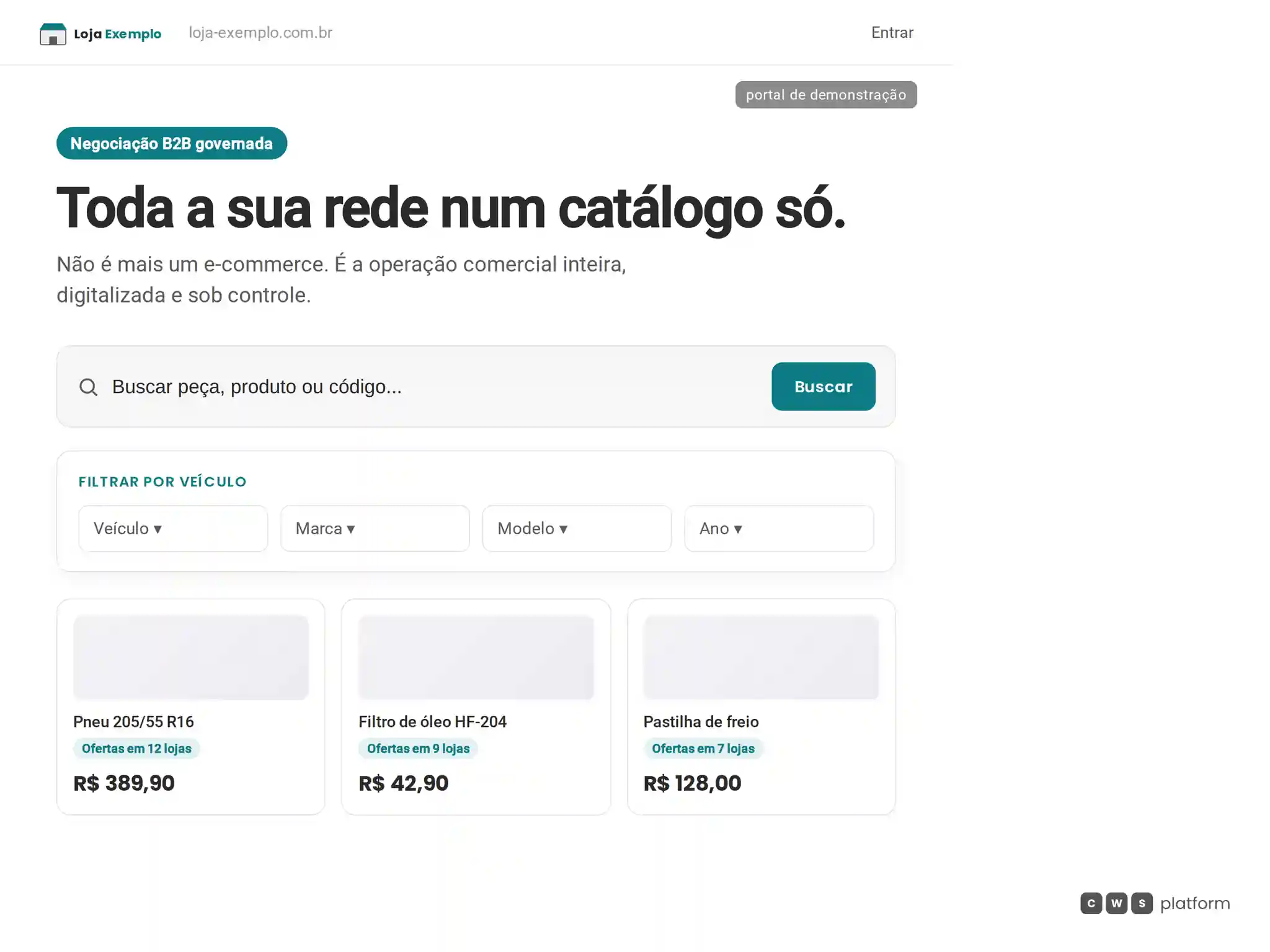
Contexto de compra no hero
Hero de uma vitrine B2B da CWS Platform com campo de busca, filtro por veículo e os primeiros produtos, cada um indicando em quantas lojas da rede está ofertado.
- Busca em destaqueo acesso ao catálogo começa no próprio hero.
- Filtro por veículoa vitrine oferece uma entrada de compra orientada pelo veículo.
- Ofertas por produtocada card mostra em quantas lojas da rede o item está disponível.
O CMS Builder precisa compor a vitrine para o contexto de quem compra, sem fragmentar a jornada em páginas e estruturas diferentes. Este hero materializa esse contrato de contexto do comprador ao reunir os principais caminhos de descoberta em uma única composição.

Persona · Marketing director
I change the home banner without filing a ticket or waiting in a developer's queue.
With the No-Code Storefront Builder (CMS Builder), visual identity, banners, carousels and institutional pages are configuration parameters the team edits in the store channel.

Persona · Commercial director
I serve resellers and end consumers on the same portal, with no second deployment.
With the No-Code Storefront Builder (CMS Builder), the same foundation renders different portals: configuration changes, code does not.
In operation
Tracbel · Volvo dealer
about US$47 million
accumulated through the portal since launch, across a network of 40 branches (Tracbel, named the world's best Volvo dealer, Volvo Gold 2025).
The portal has been in production for about 6 years and did not go live all at once: the equipment line came in 2018 and the truck line in 2020. The second one did not require a new portal, and that is the difference between configuring a surface and buying another project.
Read the Tracbel case →Figures converted from Brazilian reais at R$5.00 = US$1.00.
Frequently asked questions
We want to change the home banner and the colors on a Friday night. Do we have to file a ticket?
No. Visual identity, banners, carousels, footer and institutional pages are configuration parameters your own team edits in the store channel. What does need a request is anything that changes an agreement between companies, such as a new subdomain or enabling a multi-store operation, because those have an effect outside the portal.
Does the same portal serve our resellers and the end consumer?
Yes, and without two deployments. The same foundation renders a portal with authenticated pricing and order approval for the reseller, and an open portal with coupons and social login for the consumer. Configuration changes, code does not, so both faces inherit the same catalog, the same inventory and the same pricing rule.
Can whoever edits an institutional page break a pricing rule by accident?
No. Editing reaches the presentation layer: copy, images, carousel order, institutional blocks. Price, availability and approval limits still come from the rules engine, and the portal only displays what the rule has already authorized. Editing the storefront and changing the policy are separate permissions, granted by user group.